What the ink pump board actually handles
An ink pump board is the control side of the pump system on a wide-format inkjet printer. It sends the timed signals that start and stop pump action during priming, flushing, ink circulation and scheduled maintenance. On machines that run long jobs or sit between shifts, that coordination matters because uneven pump action can leave ink sitting in the wrong place or moving too slowly through the lines.
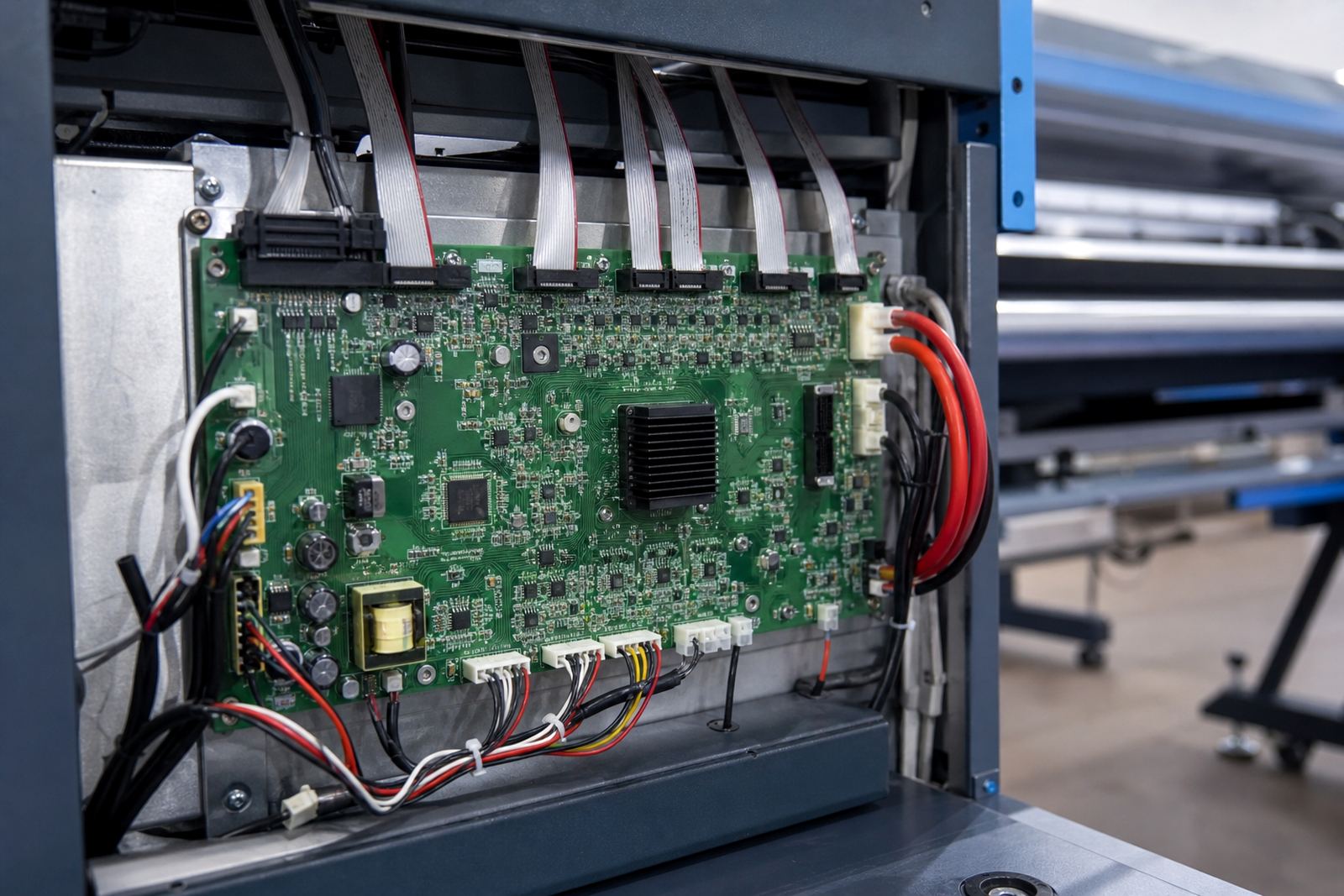
In practical terms, the board sits between the printer control logic and the pump hardware. It helps the machine manage suction and circulation at the right moment, so the printhead area stays in working order and maintenance cycles run as intended. The board is often paired with a printhead driver setup, main control board, and the printer's own service settings, so the full system needs to match the machine model and carriage layout.
For print shops in Johannesburg, Pretoria, Durban, Cape Town and Bloemfontein, that coordination matters on solvent, eco-solvent and water-based wide-format setups where daily cleaning and repeat jobs are part of the working routine.
Board formats, connectors and setup choices
Ink pump boards are not one-size-fits-all. The right unit depends on the printer architecture, the number of pump channels, the connector layout and the signal type used by the machine. Some boards are built for a single pump path, while others manage multiple channels for separate cleaning, circulation or waste handling routines. On more complex machines, the board may need matching harnesses, sensor inputs and firmware-aware control so it works with the existing service logic.
- Single-channel boards for simpler pump circuits
- Multi-channel boards for grouped or separate maintenance paths
- Boards with harness plugs matched to the printer loom
- Units suited to inline circulation systems and service stations
- Replacement boards for fault finding and refurbishing older machines
When fitting one of these boards, the details need to line up properly. Connector pinouts, voltage requirements, cable routing and the pump type must be checked before installation. A board can look similar on the outside and still drive the wrong timing on the inside, which leads to poor priming or repeated service alarms.
Where it suits in a South African print room
This product suits print rooms that run wide-format inkjet work every day and need regular priming or circulation support. It is commonly used in banner production, vehicle graphics, indoor signage, display work and general production where the printer must keep ink moving and service cycles steady. In coastal areas like Durban, humidity can affect ink behaviour and maintenance habits, so dependable circulation control becomes part of the working routine. In dry inland rooms around Midrand, Johannesburg or Pretoria, operators often need consistent priming after downtime and before high-value print runs.
Ink pump boards are also useful in mixed environments where more than one operator uses the same machine. If the team is loading jobs, cleaning heads, or running overnight batches, the board helps keep pump activity aligned with the machine's maintenance cycle. That reduces the kind of stop-start behaviour that interrupts output and throws off the print queue.
It suits production floors, smaller sign shops, corporate print rooms and regional facilities that service work across Gauteng and beyond. Where machines are expected to handle repeat work with tight colour control, the pump system must stay in step with the rest of the printer.
Fitting, wiring and remote support
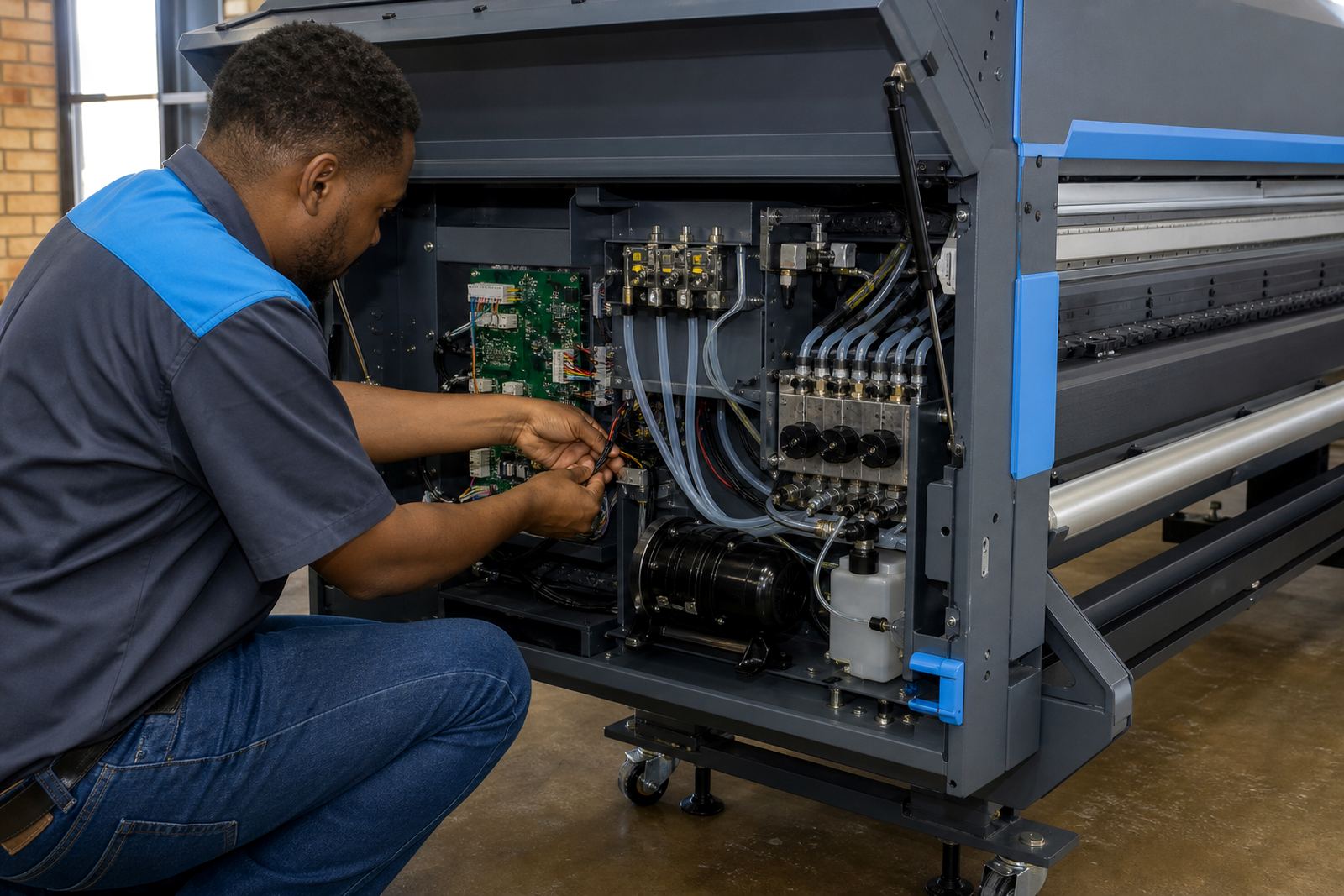
Installation needs careful handling because the pump board is part of the printer's control path, not just a loose accessory. The machine should be isolated before any fitting work, and the existing cables, plugs and mounting points should be checked for wear or heat marks. If the old board failed because of a short, moisture or a wiring fault, that cause should be identified before the replacement is put in.
InkFlow RIP handles remote setup and support for print shops across South Africa, with Midrand as the base for work in Johannesburg, Pretoria, Durban, Cape Town, Bloemfontein and surrounding areas. Where a board is being paired with RIP software settings, colour profiles or queue workflow changes, the technician can line up the printer side with the production side so the machine runs in a workable state. That helps when a shop is balancing board replacement with printhead driver setup, production tuning or backup and recovery.
- Check the board model against the printer family
- Confirm pump channel count and connector type
- Match the required supply voltage and signal path
- Inspect cables, plugs and mounting brackets for damage
- Test priming, circulation and maintenance cycles after fitting
Care that keeps the pump system steady
Good care starts with keeping the printer area clean and dry. Dust, ink residue and overspray can creep into connectors and service bays, and over time that affects contacts and pump behaviour. The board itself should stay free of liquid contamination, and the cable path should be secured so vibration does not loosen plugs during long production runs.
It also helps to keep a regular maintenance routine on the printer as a whole. If the heads are being cleaned, the capping station is due attention, or the waste path is getting heavy use, the pump board should be checked as part of that service cycle. A board that is carrying unstable signals can show up as weak priming, missed circulation or service actions that do not complete properly, so fault finding has to look at the full path not only the board alone.
In humid coastal rooms, connectors need closer attention because moisture can settle into exposed joins. In busy inland print shops, heat and dust are usually the bigger issue. Either way, the board lasts longer when the machine is serviced before small faults build into expensive downtime.
Details to confirm before ordering
To supply the right ink pump board, the printer model, board revision and pump layout need to be matched carefully. A label photo, connector view or old board reference helps avoid mistakes. If the printer has been modified, or if the original part was changed in a previous repair, that needs to be noted so the replacement can be checked against the actual machine rather than the original brochure spec.
It also helps to confirm the machine's service history. If the issue is repeated priming failure, poor circulation, burnt connectors or intermittent maintenance cycles, the fault may be in the board, the harness or the pump unit itself. In some cases the safest route is to pair board replacement with fault finding and preventive maintenance so the full system is checked before it goes back into the line.
- Printer make and exact model
- Board number or clear photo of the old unit
- Pump channel count and connector style
- Voltage rating and harness details
- Whether the machine uses priming, circulation or both
- Any fault codes, burning, or repeated maintenance errors
For shops in Midrand and across South Africa, the goal is straightforward: the board must fit, communicate properly and keep the printer's maintenance cycle working without guesswork.
Key facts
| Product type | Control board for pump activity on wide-format inkjet printers |
|---|---|
| Primary function | Coordinates priming, circulation and maintenance cycles |
| Typical use | Replacement, repair, refurbishment and production support |
| Compatibility | Model-specific, based on pump layout and connector format |
| Connection points | Harness plugs, signal lines and mounting points |
| Support | Remote setup and fault finding from Midrand for South African print rooms |