The board that keeps motion and signalling in step
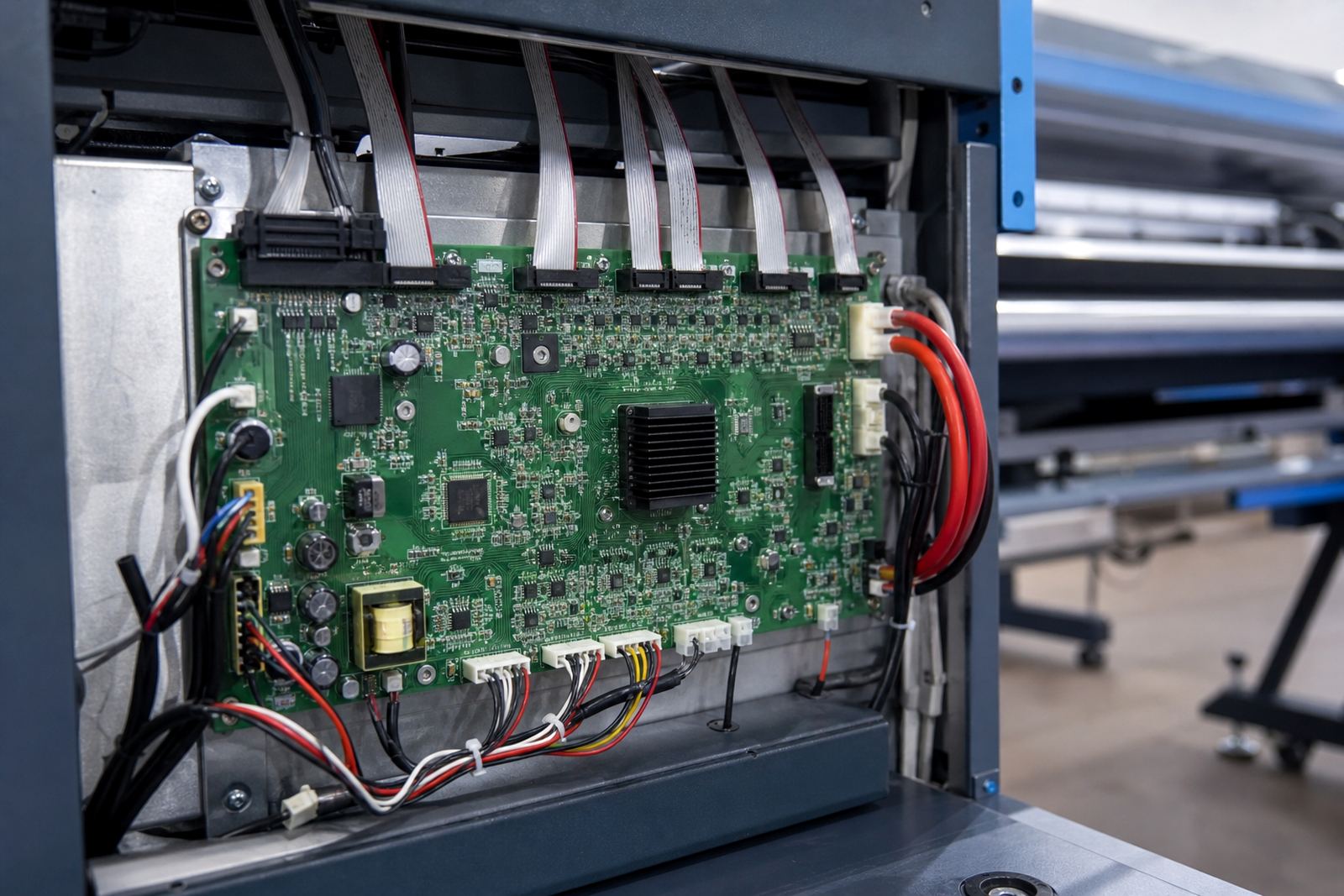
A main control board is the printer’s coordinating board. It receives job instructions from the RIP side of the workflow, then manages timing for carriage movement, media advance, sensor input and the other signals that keep a wide-format machine working in the right sequence. In practice, this means the board has to speak clearly to the rest of the printer, otherwise print quality and registration can drift off pretty fast.
For wide-format inkjet work, the board is usually matched to a particular machine family, carriage system and printhead layout. Some units are built for single head setups, others for dual head or multi-head configurations, and the I/O layout can vary by model. The right board should align with the printer’s voltage requirements, connector type, firmware version and axis control method, otherwise fitting becomes messy and faults show up during production. A clean match saves time on the floor and reduces repeat breakdowns.
In a busy shop, the main board also affects how confidently the operator can run long jobs, tiled work and colour-critical runs. When the signal path is stable, the machine handles feed and pass timing with less drift. That matters on vinyl, backlit film, coated paper and banner stock, where small timing issues can show up as banding or misalignment.
Sizes, formats and control layouts available
Main control boards are not one-size-fits-all items. Different printers use different board shapes, connector counts and mounting points, and some units are supplied as full controller assemblies while others are replacement boards with separate harnesses. The physical format needs to suit the printer cabinet and the existing loom routing, because a neat internal layout makes fault tracing easier later.
- Single-board control units for compact wide-format printers
- Expanded controller boards for larger carriage and feed systems
- Board kits with ribbon cables, plugs or loom adaptors where required
- Units matched to stepper or servo driven motion systems
- Boards with onboard status LEDs for fault tracing and setup checks
When a board is supplied for replacement, the part details matter just as much as the shape. Pin count, connector orientation, sensor inputs, motor outputs and printhead driver links all need to be checked against the existing machine. If one plug lands in the wrong place, the printer may power up but still behave badly under load. That is especially true on older machines where a prior repair has left mixed harnesses in place.
Where this board suits real production work
This product suits wide-format inkjet printers used by sign shops, print rooms, packaging sample teams and production houses that run repeat jobs day after day. It is also a strong fit where the printer handles queue-based work, mixed media sizes and long unattended runs. In Gauteng, coastal humidity is not the main concern, but dust, heat build-up and intermittent mains issues can still expose weak boards and tired connectors.
Common use cases include vehicle graphics, display prints, exhibition panels, retail signage and general roll-to-roll production. It also suits operations that need stable media feed for panels, because the feed system and carriage timing must stay aligned for clean output. On larger machines, the control board often works alongside printhead driver boards, encoder systems and safety sensors, so the full signal chain needs to be treated as one working unit.
- Wide-format inkjet printers in daily production use
- Machines showing feed drift, carriage hesitation or erratic sensor readings
- Sites where the board needs replacement after power events or wear
- Shops moving from manual corrections to a steadier production setup
Fitting, setup and the checks that matter
Board fitting is not only about bolting in a part. The printer must be isolated safely, the old board documented, and the harnesses checked before anything is moved. During installation, the technician should confirm the control inputs, head driver links, encoder path, grounding points and any firmware or board pairing rules that apply to that specific machine. A missed ground strap or loose connector can leave a fault that is hard to pin down later, and that gets expensive.
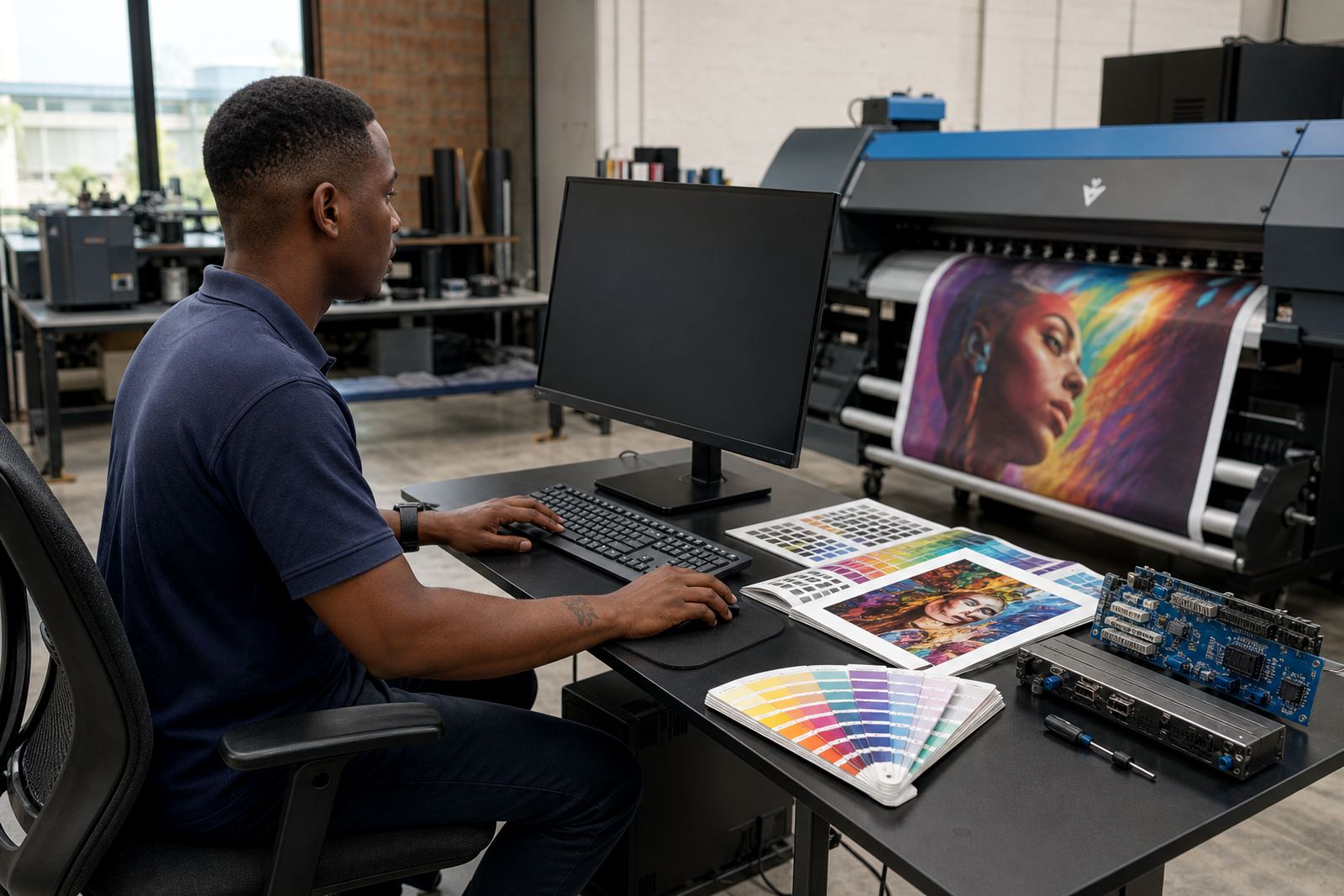
Remote setup is often useful when a board has been replaced and the RIP side must be reconnected, or when the print queue and maintenance routines need resetting after repair. In many cases the printer also needs a fresh colour workflow check, because board changes can affect repeatability, head timing and feed behaviour. We work with print shops in Midrand, Johannesburg, Pretoria, Durban, Cape Town and Bloemfontein where field access is not always immediate, so remote guidance helps the local team keep moving.
- Power isolation and safe removal of the existing board
- Harness and connector mapping before installation
- Board mounting, grounding and cable routing checks
- Signal verification for feed, carriage and sensor inputs
- RIP reconnection, queue test and print path confirmation
Care that helps boards last through production runs
Main control boards last longer when the printer interior stays clean and dry, and when the machine is not pushed with unstable power or repeated bad starts. Dust on connectors, heat around the cabinet and moisture from cleaning routines can all play a part. In places with coastal humidity, it is worth checking for oxidation on plugs and headers, while inland shops should keep an eye on dust pulled into the cabinet during long shifts.
Preventive maintenance should include connector inspection, cabinet cleaning, fan checks where fitted, and a review of fault logs where the printer keeps them. If the machine has repeated feed errors, it is worth checking whether the issue is really board related or coming from the encoder strip, motor driver, cable loom or sensor set. A control board often gets blamed first, but the real fault can sit elsewhere in the signal chain. That sort of check stops a shop from replacing parts it does not need.
For shops running production daily, a simple maintenance routine can keep the board healthier for longer and reduce stop-start work that interrupts queue flow. Where repair work is needed, matching the board with the correct printer version is still the first rule, because even close-looking units can behave differently once fitted.
Details to confirm before ordering the replacement board
To supply the correct main control board, the machine details need to be exact. Wide-format printers can look similar from the outside while carrying different controller revisions inside. A wrong match can lead to communication faults, missing sensor inputs or feed timing problems. Clear part detail keeps the replacement process tight and saves the shop from extra downtime.
- Printer make, model and chassis revision
- Existing board part number or label code
- Voltage rating and power input details
- Connector style, pin count and harness arrangement
- Whether the machine uses stepper or servo drive control
- Any known fault code, symptom or prior repair detail
It also helps to confirm whether the board is needed on its own or as part of a larger repair set that includes printhead drivers, cabling or related signal parts. If the printer has already had board work, a photo of the original layout can save a lot of back-and-forth. One loose note on the old unit can point to the correct revision, and that makes the whole job smoother.
Key facts
| Product type | Main control board for wide-format inkjet printers |
|---|---|
| Function | Coordinates carriage travel, media feed and core printer signals |
| Compatibility | Model-specific, matched to printer revision and control layout |
| Typical installation | Replacement board fitting, harness check, signal verification and RIP reconnection |
| Supply area | Midrand, Gauteng with remote support across South Africa |
| Support services | Board Installation, Remote Setup, Fault Finding, Backup and Recovery, Ongoing Support |